

Description
We believe in Content First. Your content is the star – the medium is just the carrier. That’s why we built pressdify.
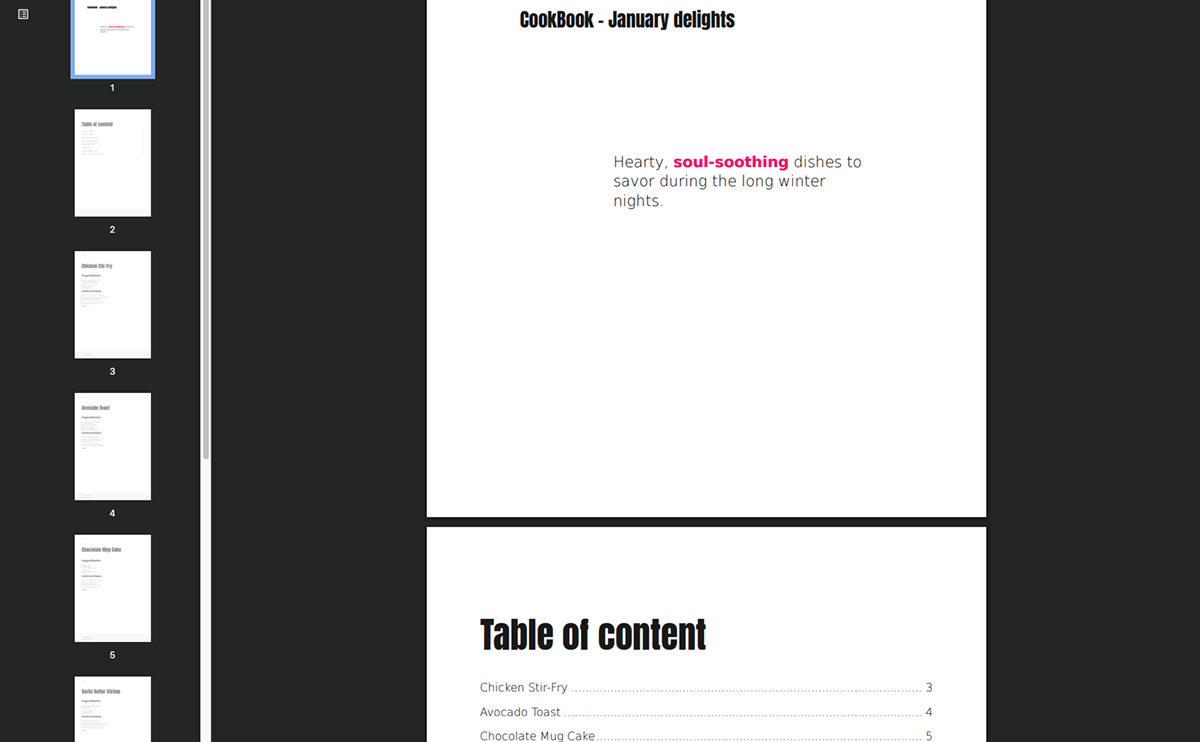
Stop struggling with manual layouts or clunky PDF generators that break your design. pressdify enables you to generate professional PDFs from your posts, pages, or custom post types using PrintCSS technology. Whether you need menus, event flyers, or documentation, we help you get it done in seconds, not hours.
What makes pressdify different?
Unlike standard PDF tools, we use the W3C standard for paged media. This means you get professional features like crop marks, bleed, and spot colors directly from your HTML and CSS. It’s fast, reliable, and keeps your server lean because the heavy lifting happens on our specialized infrastructure.
Key Features
- PrintCSS Technology – The professional standard for high-quality PDF generation.
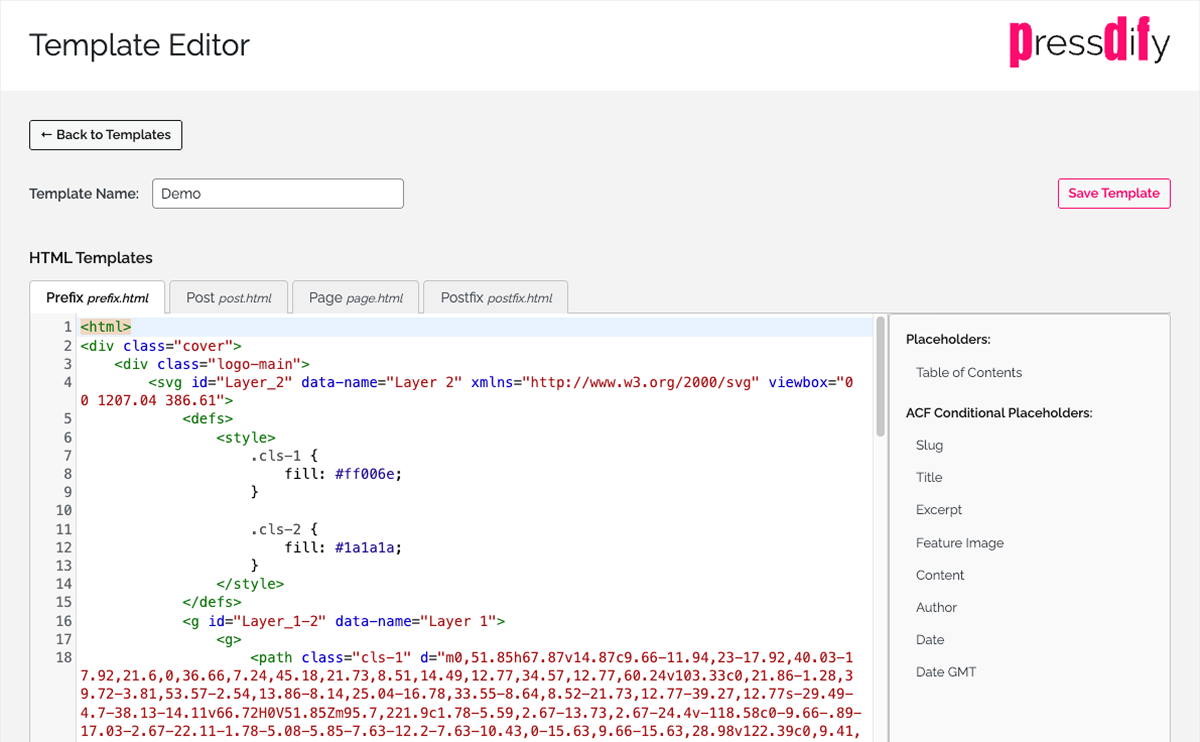
- Custom Templates – Design your own layouts using HTML and CSS in our built-in editor.
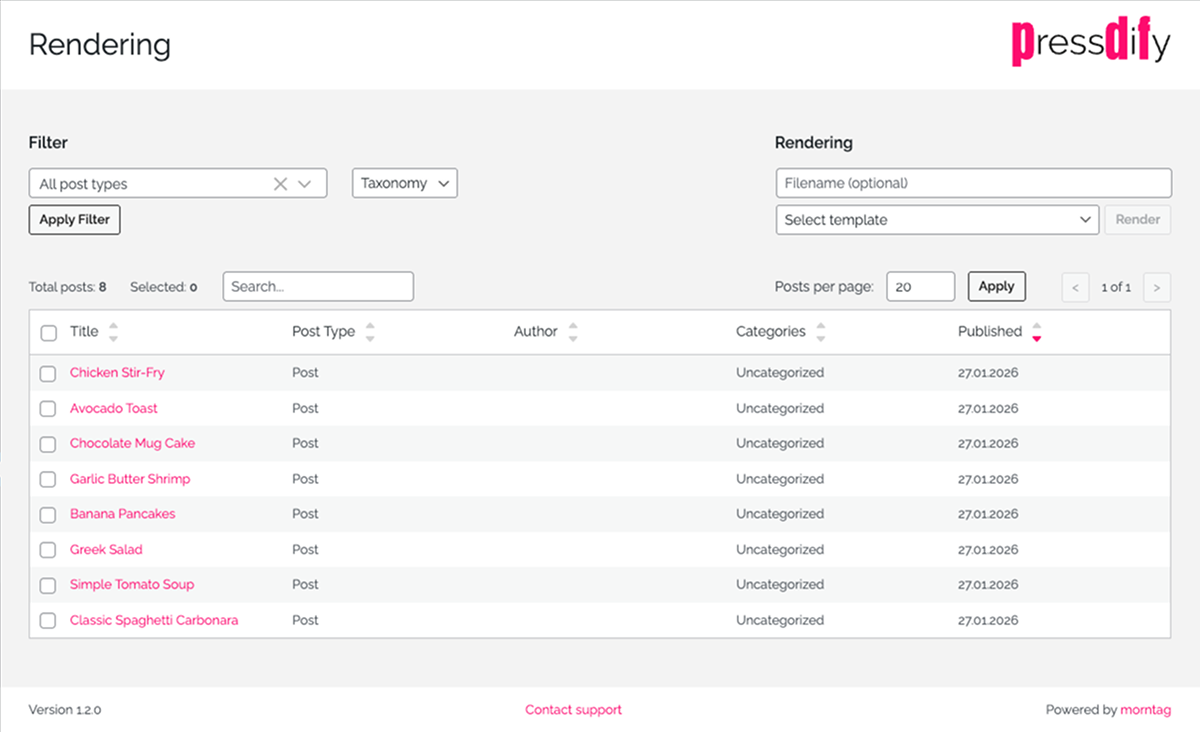
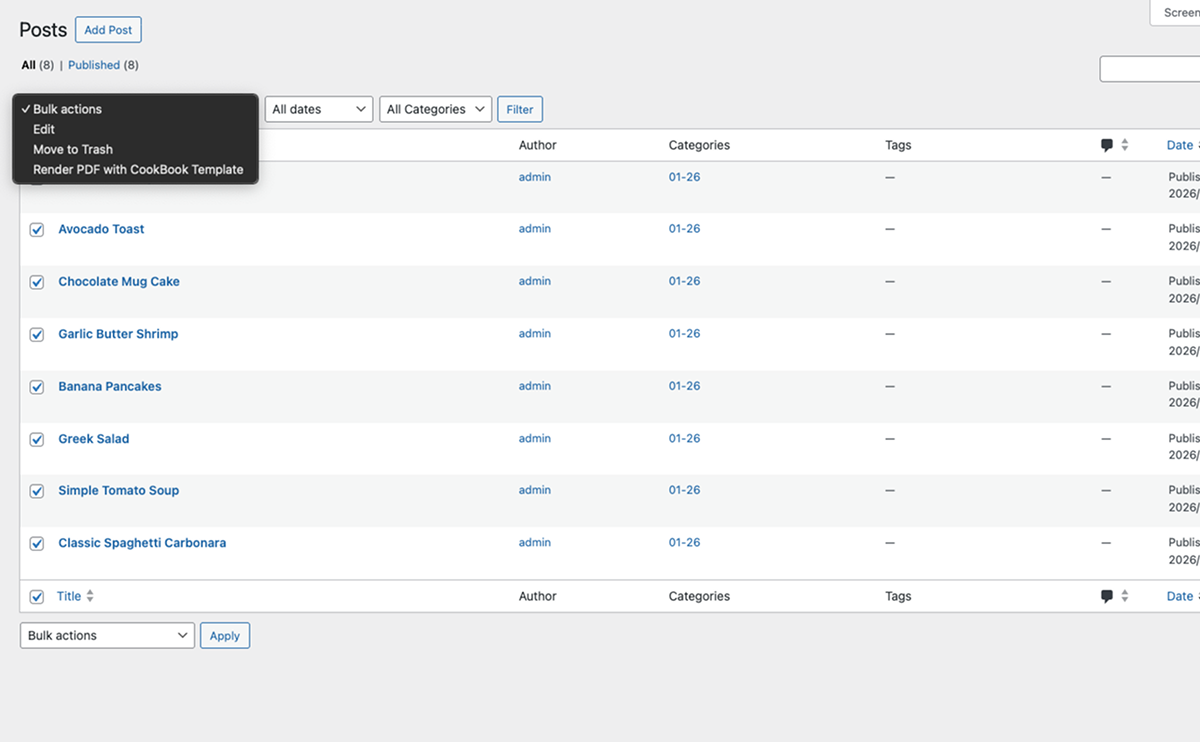
- Bulk Generation – Need a PDF for 50 posts at once? No problem.
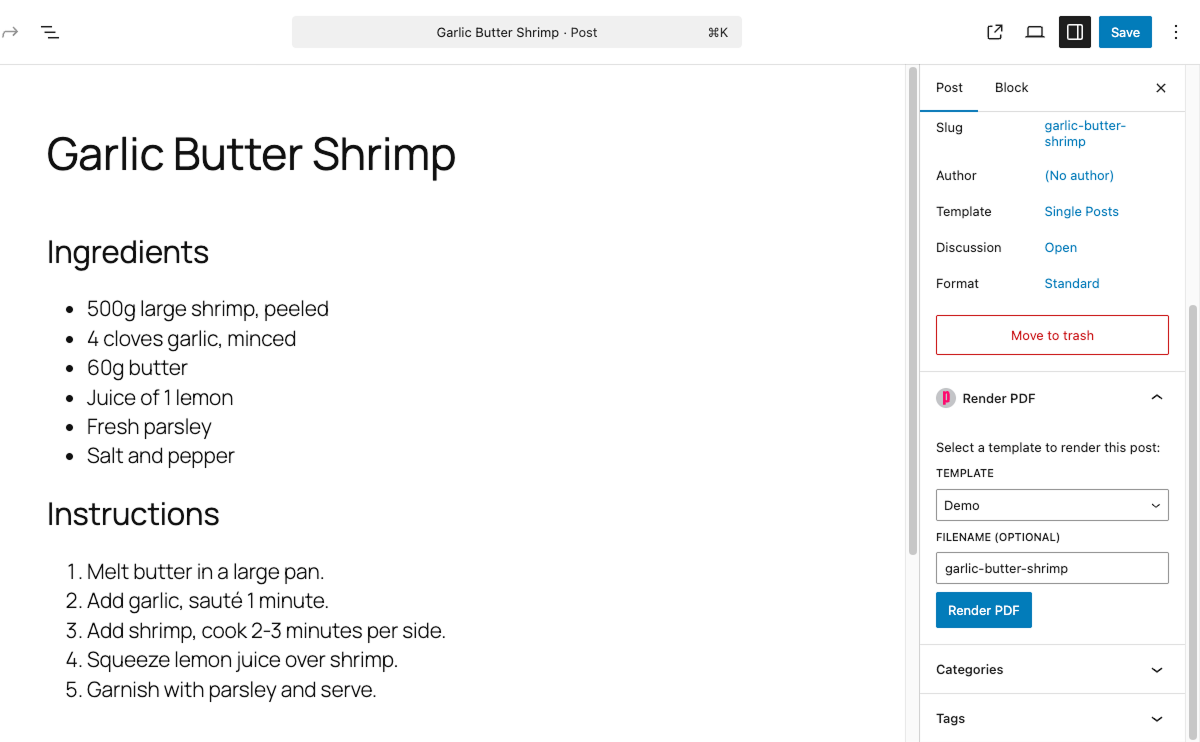
- Gutenberg & ACF Integration – Works right where you work. Full support for Advanced Custom Fields means your data goes exactly where it should.
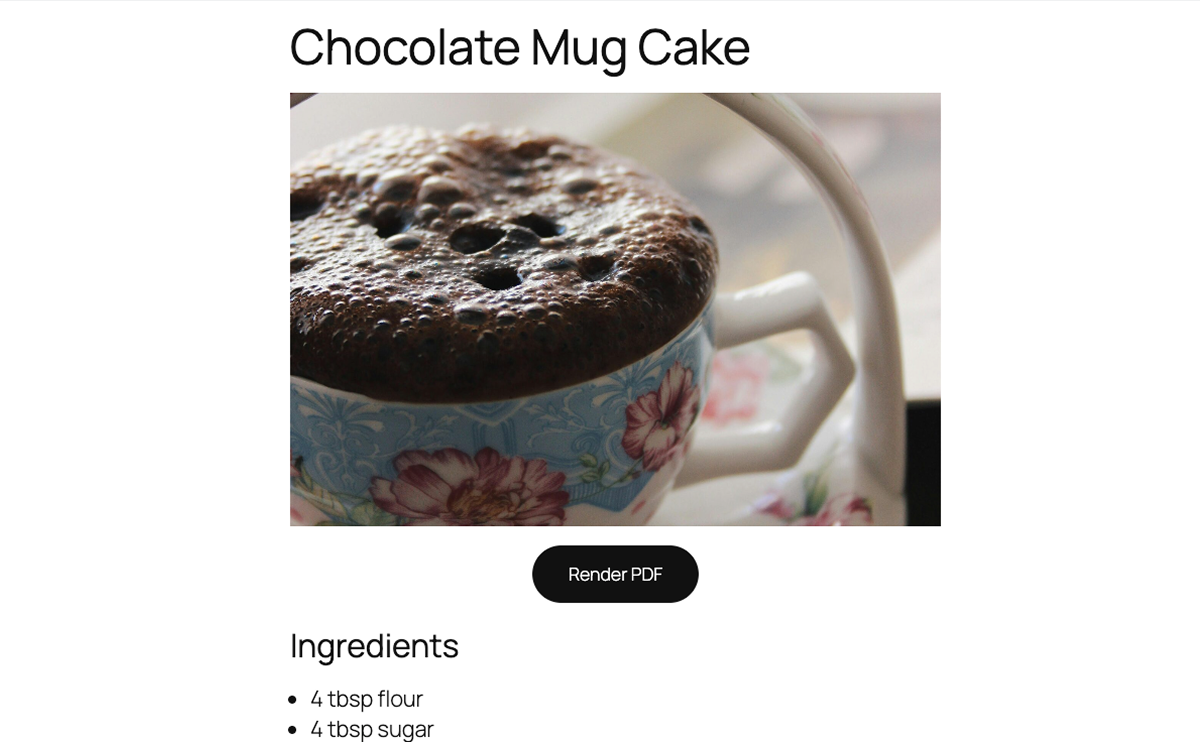
- Frontend Rendering – Let your visitors download PDFs with a simple button or shortcode.
- Resource-Saving – External rendering means no extra load on your WordPress site.
- Custom Post Type Support – Works with any post type.
External Service Disclosure
IMPORTANT: This plugin relies on an external service to generate PDFs. Please read this section carefully before using the plugin.
This plugin sends your WordPress content to pressdify’s PDF rendering service for processing. When you generate a PDF:
- Your post/page content (HTML, text, images) is transmitted via HTTPS to pressdify’s servers
- The content is processed using PrintCSS technology to generate a PDF
- The generated PDF is returned to your WordPress site
Service Information:
* Service Provider: morntag.com (Switzerland)
* Server Location: Switzerland
* Service URL: https://pressdify.com
* Privacy Policy: https://pressdify.com/privacy/
* Terms of Service: https://pressdify.com/terms/
Data Transmitted:
* Post/page content (title, body, featured images)
* Custom fields (if included in your template)
* Template HTML/CSS
* Your website domain
Data Retention:
* Request data, generated PDFs, and CSS files are stored for 3 months for quality assurance, error handling, and support purposes
* Server access logs (containing server IP, timestamps, and request paths) are retained for operational purposes
* You may request deletion of your data at any time by contacting us
Requirements:
* You must obtain a pressdify API key by contacting us at https://pressdify.com
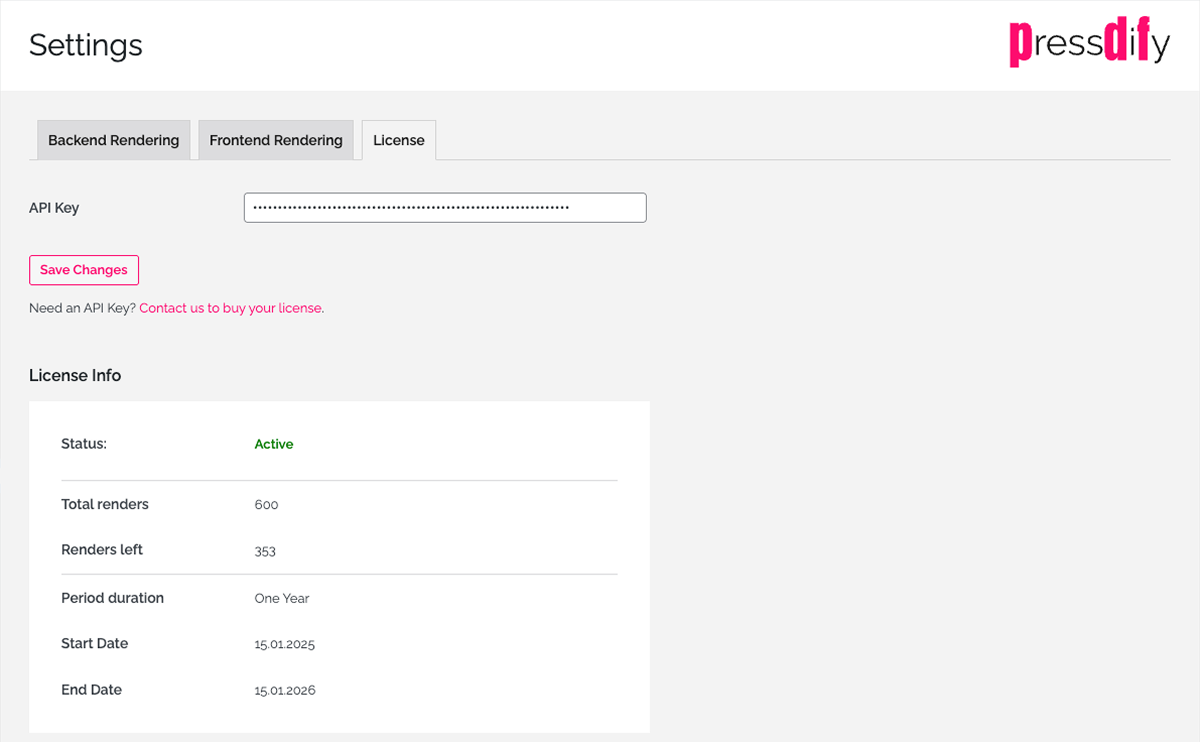
* You must configure the API key in the plugin settings (pressdify > Settings > License)
* Your server must allow outbound HTTPS connections
Please review pressdify’s privacy policy to understand how your data is handled. By using this plugin, you acknowledge that content will be sent to an external service for PDF generation.
Use Cases
- Publishing – Create print-ready versions of blog posts
- Documentation – Generate PDF documentation from pages
- Reports – Convert data-driven posts into PDF reports
- Portfolios – Create downloadable portfolio pieces
- E-books – Compile multiple posts into PDF books
Source Code & Build Instructions
The minified JavaScript bundles in assets/app/build/ are produced from
TypeScript/React source files shipped in this same plugin under
assets/app/src/.
To rebuild from source:
cd assets/app
npm install
npm run build
The build uses @wordpress/scripts (webpack). See assets/app/package.json
for the full toolchain and script definitions.
Additional Information
System Requirements
- WordPress 6.4 or higher
- PHP 7.4 or higher
- MySQL 5.6+ or MariaDB 10.0+
- HTTPS enabled (recommended)
- Outbound HTTPS connections allowed (for API calls)
Support
For support, please visit our support forum.
Credits
This plugin was developed and is maintained by morntag.com.
Screenshots
Installation
Automatic Installation
- Log in to your WordPress dashboard
- Navigate to Plugins > Add New
- Search for “pressdify”
- Click “Install Now” and then “Activate”
Manual Installation
- Download the plugin ZIP file
- Log in to your WordPress dashboard
- Navigate to Plugins > Add New
- Click “Upload Plugin” and select the ZIP file
- Click “Install Now” and then “Activate”
Configuration
- Navigate to pressdify > Settings > License in your WordPress admin
- Enter your pressdify API key
- Save your settings
- Click “Refresh” to see your current license state
Creating Templates
- Navigate to pressdify > Template Editor
- Create a new template by copying an existing one or modify the default template
- Use HTML and CSS to design your PDF layout
- Use template variables like {{title}}, {{content}}, {{author}}
- Save your template
FAQ
-
Do I need a paid API key?
-
Yes, you need a pressdify API key to use this plugin. Contact us at https://pressdify.com to request your API key. Check https://pressdify.com/pricing/ for current pricing information.
-
What happens when my API credits run out?
-
When your credits are exhausted, PDF rendering will be unavailable until you purchase additional credits. Your templates and settings remain intact.
-
Can I customize the PDF output?
-
Yes! The plugin includes a powerful template editor where you can:
* Design custom layouts with HTML and CSS
* Include custom fonts and images
* Create different templates for different post types -
There are three ways:
1. Automatic – Enable frontend rendering in plugin settings to automatically add buttons to posts/pages
2. Shortcode – Use [pressdify_button] in your content
3. PHP – Add to your theme templates -
What should I know about frontend rendering?
-
If you enable frontend PDF buttons for your website visitors:
- Privacy disclosure: You should inform your visitors in your own privacy policy that clicking the PDF button transmits content to an external service
- Security recommendation: We recommend restricting frontend rendering to logged-in users or behind a paywall, rather than making it fully public
- API usage: Each PDF generation consumes API credits from your account
-
Is my content secure?
-
Yes, your content is transmitted securely via HTTPS to pressdify’s servers located in Switzerland. Data is retained for 3 months for quality assurance and support purposes. You may request deletion at any time. Please review our privacy policy and terms of service for full details.
-
Can I use custom fonts?
-
Yes, you can include custom fonts in your templates using @font-face CSS rules or by linking to web font services.
-
Does it work with page builders?
-
Yes, pressdify works with popular page builders like Elementor, Beaver Builder, and Divi. The plugin renders the final HTML output of your pages.
-
Can I generate PDFs programmatically?
-
Yes, the plugin provides a REST API and PHP functions for programmatic PDF generation.
-
What about performance?
-
PDF generation is processed by pressdify’s external servers, so it doesn’t impact your WordPress server’s performance. PDFs are generated on-demand and delivered directly to the user.
-
Does this work with custom post types?
-
Yes! pressdify works with any custom post type. You can configure which post types should have PDF generation capabilities in the plugin settings.
-
Can I include ACF (Advanced Custom Fields) data in PDFs?
-
Yes, pressdify has full support for Advanced Custom Fields. You can access ACF fields in your templates using template variables and include them in your PDF output.
Reviews

Contributors & Developers
“Pressdify” is open source software. The following people have contributed to this plugin.
Contributors
Translate “Pressdify” into your language.
Interested in development?
Browse the code, check out the SVN repository, or subscribe to the development log by RSS.
Changelog
1.0.1
- Fix: License panel went blank on the settings page when a valid license was active (dates from the license API were not converted before formatting)
- Fix: “Renders left” now shows 0 instead of a dash when all renders are used up
1.0.0
- Initial release for WordPress.org repository
- PrintCSS-powered PDF generation via pressdify rendering service
- Template editor with HTML/CSS support and syntax highlighting
- Templates list page with WordPress-style admin table
- Row actions: Edit, Delete, Duplicate, Export templates
- Bulk delete with confirmation dialog
- Search filtering for templates
- Inline title editing with rename functionality
- Template import from ZIP files
- Frontend rendering buttons for posts/pages
- Gutenberg block for PDF settings
- Bulk PDF generation from posts list
- REST API for external integrations
- Custom post type and ACF support
- Full security audit: nonce verification, input sanitization, output escaping
- PHPCS WordPress-Extra compliance (zero errors/warnings)
- Internationalization: all strings translatable
- Accessibility: ARIA labels, keyboard navigation, screen reader support